Open-source web scraping tools play a large part in helping gather data from the internet by crawling, scraping the web, and parsing out the data. Top 10 Open-Source Web Scraper Tools and Frameworks
It’s difficult to say which tool is best for web scraping. That said, let’s discuss some of the popular open-source frameworks and tools used for web scraping and their pros and cons in detail.

How to Choose the Right Web Scraping Tool
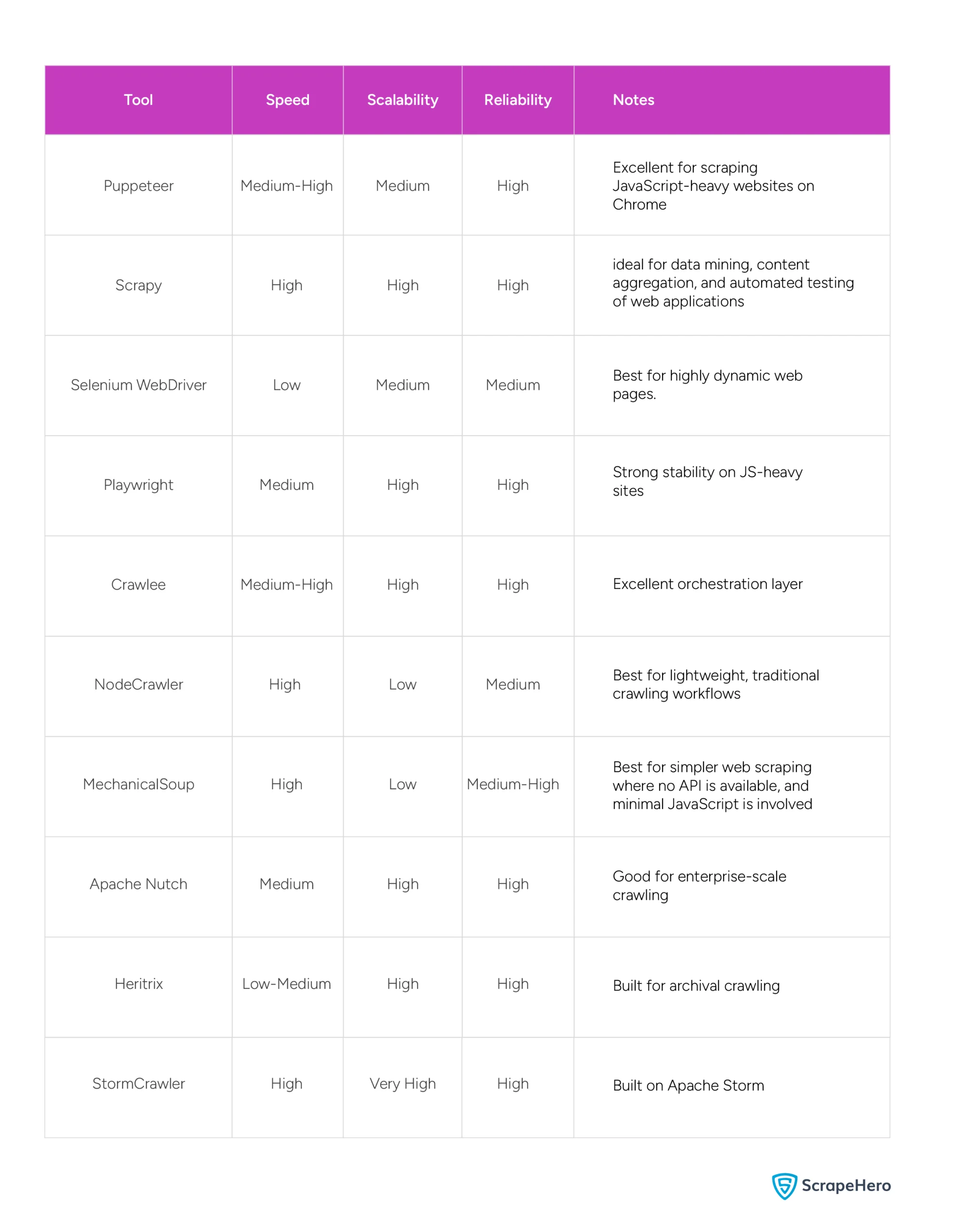
Not all web scraping tools are created equal, and picking the wrong one can cost you time and effort. Your choice should come down to four key factors: the nature of the site, the scale of your project, your preferred language, and the site’s aggressiveness in blocking bots.
If you’re dealing with simple, static websites, lightweight tools like MechanicalSoup or NodeCrawler get the job done without added complexity. On the other hand, for JavaScript-heavy sites that render content dynamically, you’ll need browser-based tools like Puppeteer or Selenium.
Planning a large-scale crawl across thousands of pages? Scrapy, Apache Nutch, or StormCrawler are built to handle that kind of load. And if getting blocked is a concern, Crawlee stands out with its built-in anti-blocking and fingerprint mimicry features.
Matching the tool to your actual need rather than picking the most popular one saves you a lot of troubleshooting down the road.
10 Best Open Source Web Scrapers and Frameworks
Here is a basic overview of the best web scraping tools that use Python and other language-based frameworks that are widely used today.
1. Puppeteer
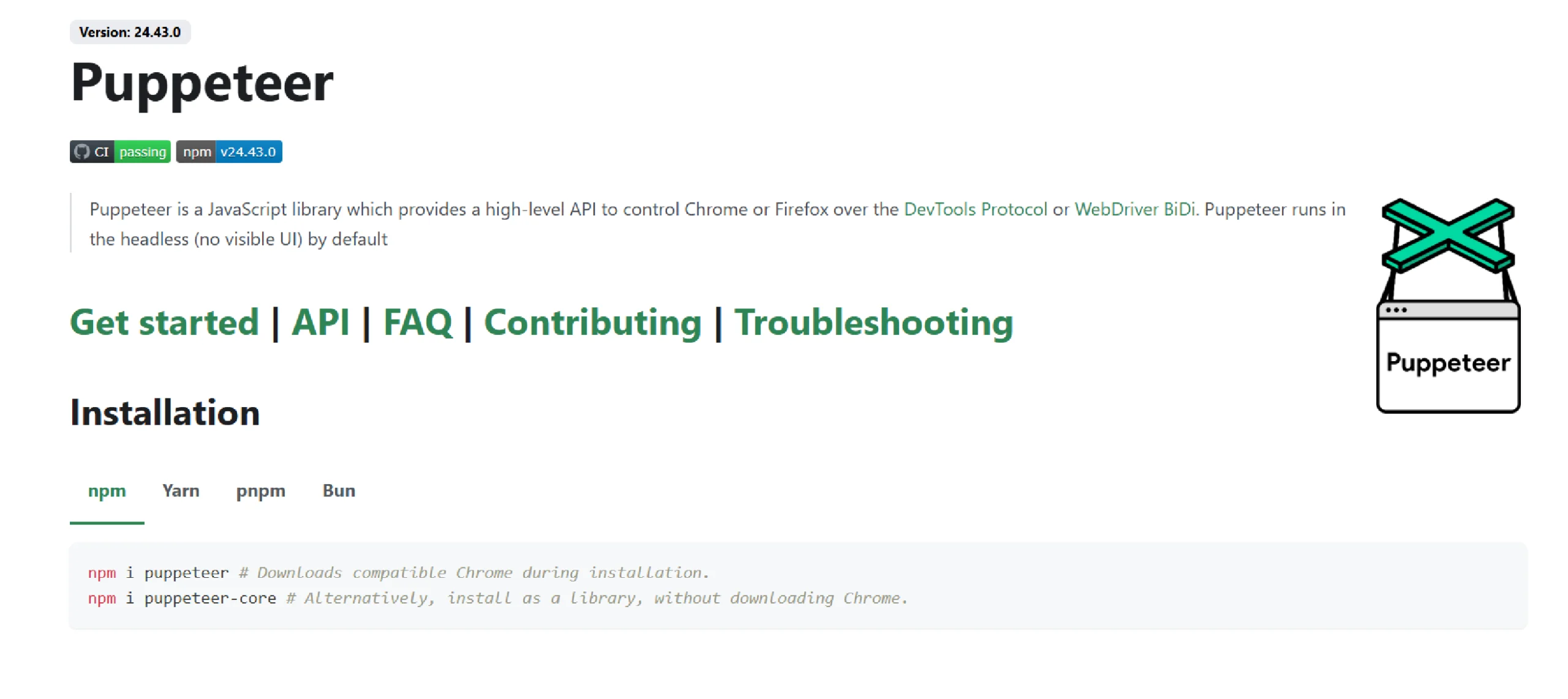
Puppeteer is a Node.js library that controls Google Chrome and Firefox in a headless mode. It allows operations without a GUI and is ideal for background tasks like web scraping, automated testing, and server-based applications. It also simulates user interactions, which is useful when data is dynamically generated through JavaScript.
In addition, Puppeteer now provides support for both Chrome and Firefox. To automate Chrome, Puppeteer uses the Chrome DevTools Protocol (CDP) by default, while Firefox is automated using WebDriver BiDi. It is particularly beneficial for tasks requiring interaction with web pages, such as capturing screenshots or generating PDFs.
Requires Version – Node 18+
Available Selectors – CSS
Available Data Formats – JSON
Pros
- With its full-featured API, it covers the majority of use cases
- The best option for scraping JavaScript-heavy websites on Chrome
- Now supports Firefox as well, enabling cross-browser automation
Cons
- Supports only JSON format
- Firefox support, while functional, is newer and may have occasional compatibility differences compared to Chrome
Installation
Have Node.js and npm (Node Package Manager) installed on your computer, and then run the command:
npm install puppeteer
Best Use Case
Use it when dealing with modern, dynamic websites that rely heavily on JavaScript for content rendering and user interactions.
2. Scrapy
Scrapy is an open-source Python framework that offers tools for efficient data extraction, processing, and storage in different formats. It is built on the Twisted asynchronous framework and provides flexibility and speed for large-scale projects.
Scrapy is ideal for tasks ranging from data mining to automated testing, as it has features like CSS selectors and XPath expressions. It has compatibility across major operating systems, including Linux, Mac OS, and Windows. Notably, Scrapy 2.14.0 replaced a large portion of Twisted’s Deferred-based internals with native Python coroutines, making the framework significantly more robust and aligned with modern async standards.
Requirements – Python 3.10+
Available Selectors – CSS, XPath
Available Data Formats – CSV, JSON, XML
Pros
- Suitable for broad crawling
- Easy setup and detailed documentation
- Active community
- JavaScript handling is now possible via the scrapy-playwright plugin
Cons
- No built-in browser interaction or automation out of the box
- Handling JavaScript requires an additional plugin (scrapy-playwright)
Installation
If you’re using Anaconda or Miniconda, you can install the package from the conda-forge channel.
To install Scrapy using conda, run:
conda install -c conda-forge scrapy
Best Use Case
Scrapy is ideal for data mining, content aggregation, and automated testing of web applications.
3. Selenium WebDriver
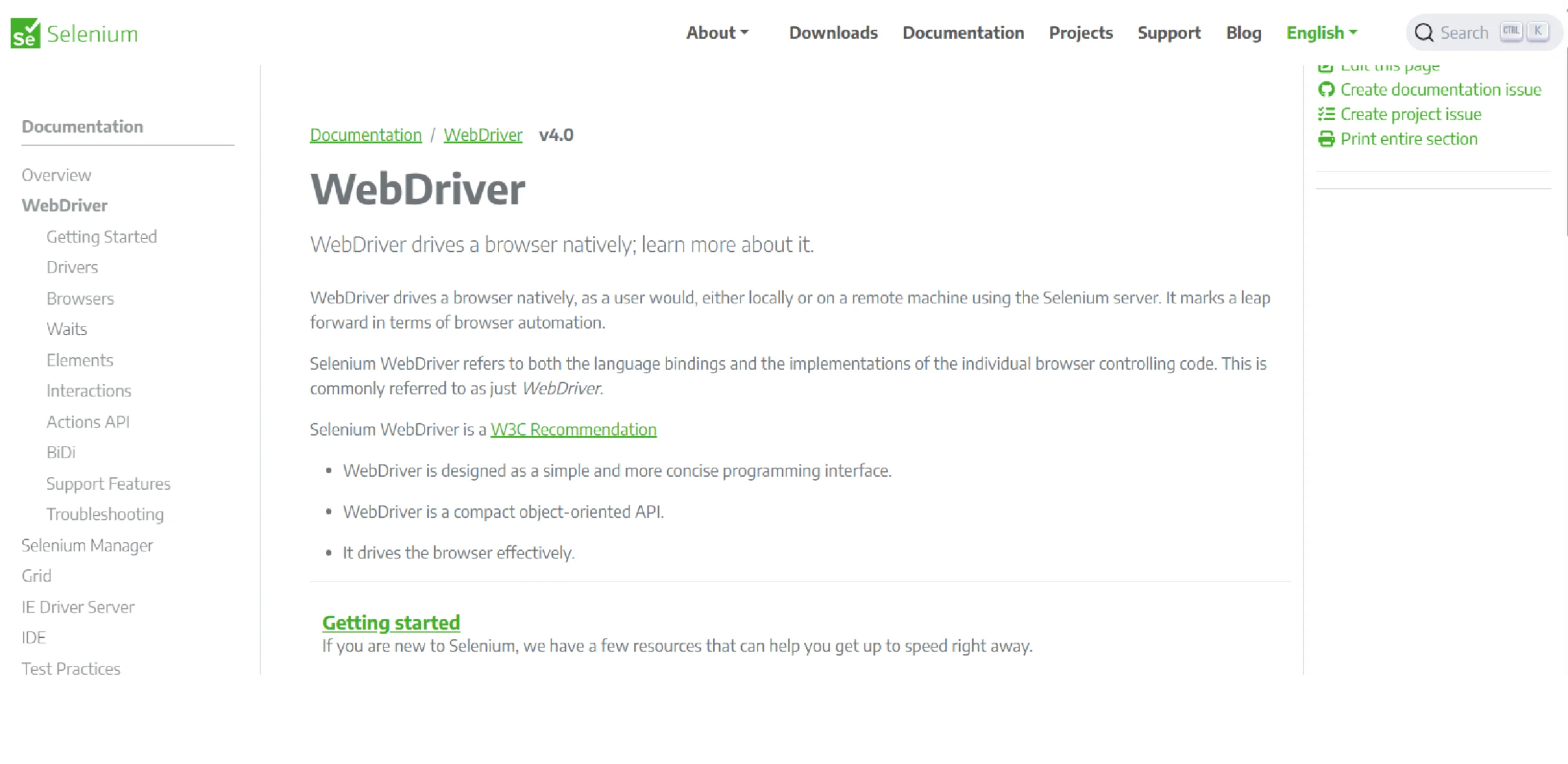
Selenium WebDriver is ideal for interacting with complex, dynamic websites by using a real browser to render page content. It executes JavaScript and handles cookies and HTTP headers like any standard browser, mimicking a human user.
The primary use of Selenium WebDriver is for testing. It scrapes dynamic content, especially on JavaScript-heavy sites, and ensures compatibility across different browsers. However, this approach is slower than simple HTTP requests due to the need to wait for complete page loads.
Requires Version – Python 3.10+ and provides bindings for languages JavaScript, Java, C, Ruby, and Python.
Available Selectors – CSS, XPath
Available Data Formats – Customizable
Pros
- Suitable for scraping heavy JavaScript websites
- Large and active community
- Extensive documentation and ecosystem support
Cons
- Scripts can be brittle and may require maintenance when the site structure or selectors change.
- High CPU and memory usage
- Slower than lightweight scraping frameworks for large-scale crawling
Installation
Use your language’s package manager to install Selenium.
- For Python:
pip install selenium
- For Java:
Add Selenium as a dependency in your project’s build tool (e.g., Maven or Gradle).
npm install selenium-webdriver
Best Use Case
When the data you need to scrape is not accessible through simpler means, or when dealing with highly dynamic web pages.
4. Playwright
Playwright is an open-source browser automation framework developed by Microsoft. It supports Chromium, Firefox, and WebKit, making it one of the few tools that offer true cross-browser scraping out of the box. Like Puppeteer, it handles JavaScript-heavy websites by running a real browser, but it goes further with built-in support for multiple browser contexts, network interception, and auto-waiting mechanisms that make scrapers more stable and less brittle.
Furthermore, Playwright is widely used for both automated testing and web scraping, and its Python, JavaScript, Java, and .NET bindings make it accessible across different development teams. It has grown rapidly in adoption and is considered by many as a modern, more reliable alternative to Selenium.
Requires Version – Node.js 20+ (JavaScript) / Python 3.9+ (Python)
Available Selectors – CSS, XPath, Text, Role, Label
Available Data Formats – JSON, CSV (via custom pipelines)
Pros
- True cross-browser support — Chromium, Firefox, and WebKit
- Built-in auto-waiting reduces flaky scraper behavior
- Supports multiple languages — Python, JavaScript, Java, and .NET
- Active development and strong community backing
Cons
- Higher memory usage compared to lightweight HTTP-based tools
- Overkill for a simple, static website scraping
Installation For Python:
pip install playwright
playwright install
Installation For Node.js:
npm install playwright
Best Use Case:
Playwright is best suited for scraping modern, JavaScript-heavy websites where cross-browser consistency, stability, and speed matter.
5. Crawlee
Crawlee is one of the open-source web scraping tools that succeeds the Apify SDK. It is specifically designed for crafting reliable crawlers with Node.js. It disguises bots as real users with its anti-blocking features to minimize the risk of getting blocked.
As a universal JavaScript library, Crawlee supports Puppeteer, Playwright, and Cheerio. It fully supports TypeScript and is similar to the workings of the Apify SDK. On top of that, Crawlee also includes all the necessary tools for web crawling and scraping.
Requirements – Node.js 16+ (20+ recommended)
Available Selectors – CSS, XPath, Text/role selectors
Available Data Formats – JSON, JSONL, CSV, XML, Excel, or HTML
Pros
- It runs on Node.js, and it’s built in TypeScript to improve code completion
- Automatic scaling and proxy management
- Mimic browser headers and TLS fingerprints
Cons
- Single scrapers occasionally break, causing delays in data scraping
- The interface is a bit difficult to navigate, especially for new users
Installation
Add Crawlee to any Node.js project by running:
npm install crawlee
Best Use Case
If you need a better developer experience and powerful anti-blocking features.
6. NodeCrawler
NodeCrawler is a popular web crawler for NodeJS, ideal for those who prefer JavaScript or are working on JavaScript projects. It easily integrates with Cheerio for HTML parsing. It is fully written in Node.js and supports non-blocking asynchronous I/O to streamline operations.
Beyond that, NodeCrawler has features for efficient web crawling and scraping, including DOM selection without regular expressions, customizable crawling options, and mechanisms to control request rate and timing.
Requires Version – Node.js 18+
Available Selectors – CSS
Available Data Formats – Processes raw HTTP responses, including HTML, XML, and JSON, which can be parsed within the crawler workflow.
Pros
- Easy installation
- Different priorities for URL requests
Cons
- Less suited for modern JavaScript-heavy sites
- Smaller ecosystem than newer tools like Crawlee
Installation
Run the command in your terminal or at the command prompt.
npm install crawler
Best Use Case
Best for lightweight, traditional crawling workflows in Node.js where full browser automation is unnecessary.
7. MechanicalSoup
MechanicalSoup is a Python library designed to mimic human interaction with websites through a browser, using BeautifulSoup for parsing. It is ideal for data extraction from simple websites, handling cookies, automatic redirection, and filling out forms smoothly.
MechanicalSoup is for simpler web scraping where no API is available, and minimal JavaScript is involved. If a website offers a web service API, it’s more appropriate to use that API directly instead of MechanicalSoup. Similarly, for sites heavily reliant on JavaScript, you can use Selenium.
Requires Version – Python 3.9+
Available Selectors – CSS
Available Data Formats – User-defined (CSV, JSON, XML common)
Pros
- Preferred for fairly simple websites
- Strong support for forms, sessions, and login automation
Cons
- Does not handle JavaScript
- MechanicalSoup’s functionality heavily relies on BeautifulSoup for parsing HTML
Installation
To install MechanicalSoup, you’ll need Python installed on your system and run the command:
pip install MechanicalSoup
Best Use Case
It is best suited for web scraping from static websites and in situations where you need to automate the process of logging into websites.
Learn how to automate logins, submit forms, manage sessions, and scrape static websites with MechanicalSoup. Follow our step-by-step tutorial and start building web scrapers in Python quickly.
8. Apache Nutch
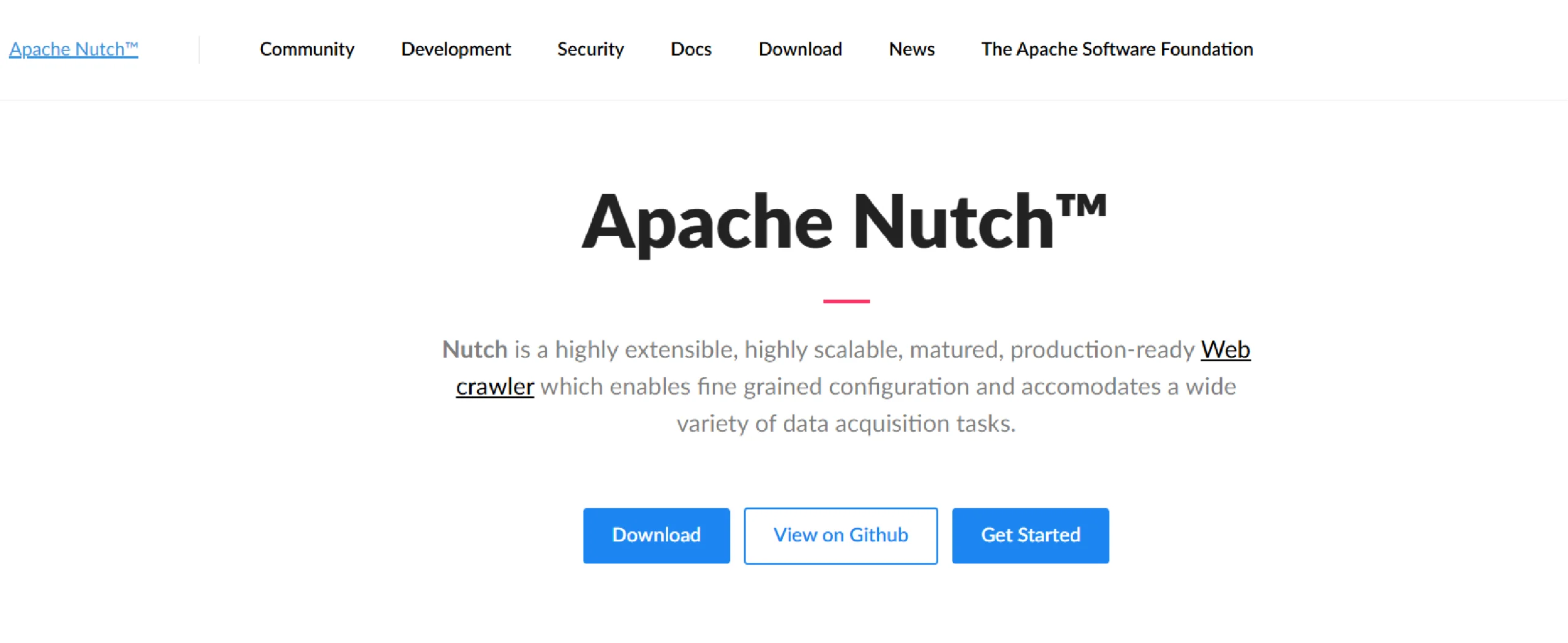
Apache Nutch is an established, open-source web crawler built to run on Apache Hadoop. It is designed for batch operations in web crawling, including URL generation, page parsing, and data structure updates. It supports fetching content through HTTPS, HTTP, and FTP and can extract text from HTML, PDF, RSS, and ATOM formats.
Additionally, Nutch has a modular architecture so that it can enhance media-type parsing, data retrieval, querying, and clustering. This extensibility makes it versatile for data analysis and other applications, offering interfaces for custom implementations.
Requirements – Java 11+
Available Selectors – Selectors — Plugin-dependent (XPath support available)
Available Data Formats – Plugin-dependent outputs (commonly JSON; additional formats possible through integrations)
Pros
- Highly extensible and flexible system
- Open-source web-search software, built on Lucene Java
- Massively scalable with Hadoop
Cons
- Difficult to set up
- Poor documentation
- Some operations take longer as the size of the crawler grows
Installation
Ensure that you install the Java Development Kit (JDK).
Nutch uses Ant as its build system. Install Ant Apache using your package manager.
apt-get install ant
Go to the Apache Nutch official website and download the latest version of Nutch.
Best Use Case
Useful for large-scale crawling and search indexing. Stores raw HTML and metadata for later retrieval (not full web archiving).
9. Heritrix
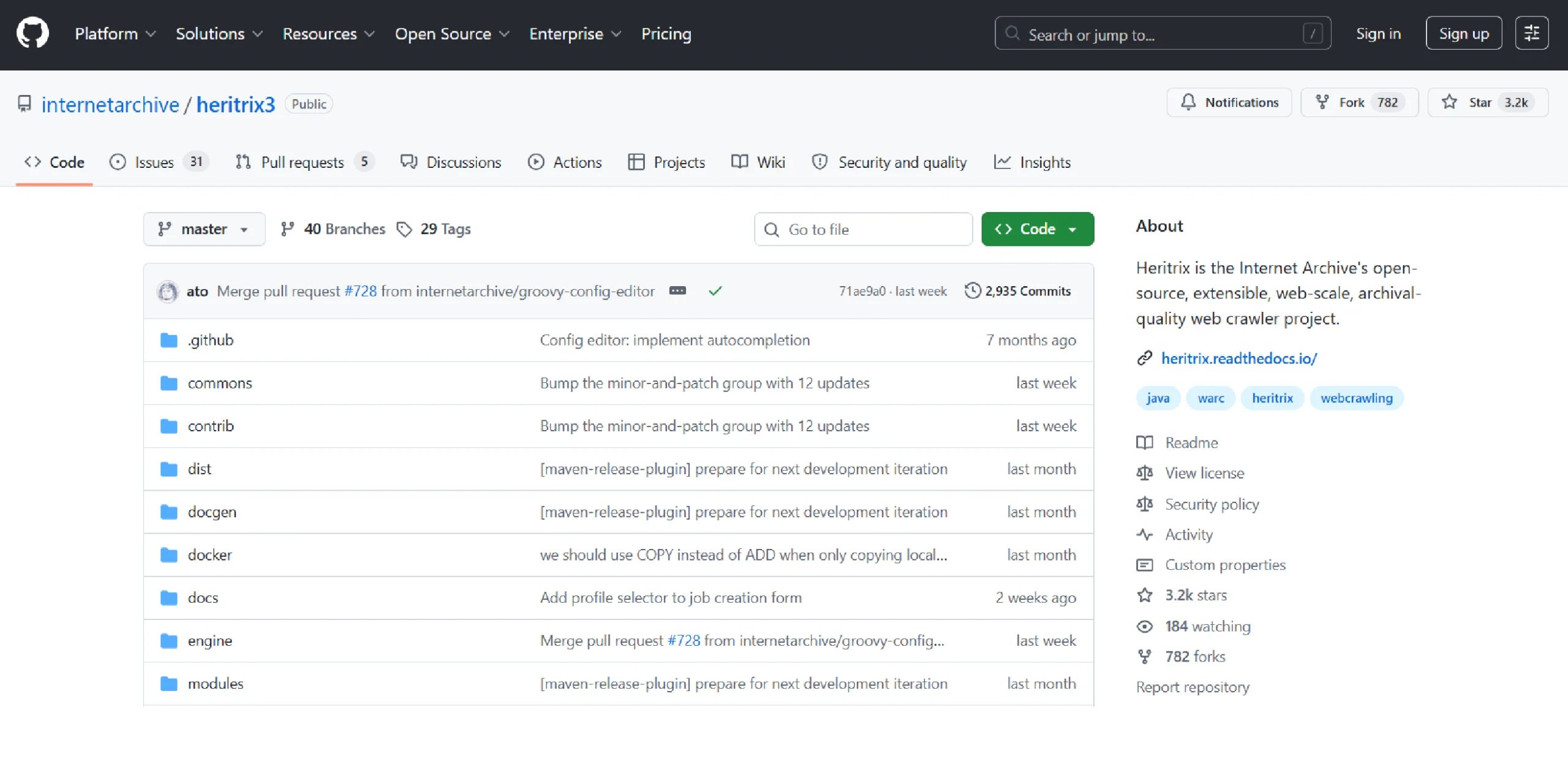
Heritrix is a Java-based web crawler that was developed by the Internet Archive. It is engineered primarily for web archiving. It can be deployed across multiple machines with manual coordination and a pre-determined crawler count. It features a web-based user interface and an optional command-line tool for initiating crawls.
Heritrix respects robots.txt and meta robots tags to ensure ethical data collection. It is designed to support sophisticated URL scoping and crawl rules. Heritrix requires some configuration for larger tasks, but remains highly extensible for tailored web archiving needs.
Requires Versions – Java 17+
Available Selectors –Selectors: None natively – uses regular expressions for link extraction.
Available Data Formats – ARC, WARC
Pros
- Strong documentation and mature tooling
- Mature and stable platform
- Good performance and decent support for distributed crawls
- Respects robot.txt
- Supports broad and focused crawls
Cons
- Limited elastic scaling compared with newer distributed crawlers
- Limited flexibility for non-archiving tasks
- Resource-intensive
Installation
Download the latest Heritrix distribution package linked to the Heritrix releases page.
Best Use Case
The use of Heritrix is in the domain of web archiving and preservation projects.
10. StormCrawler
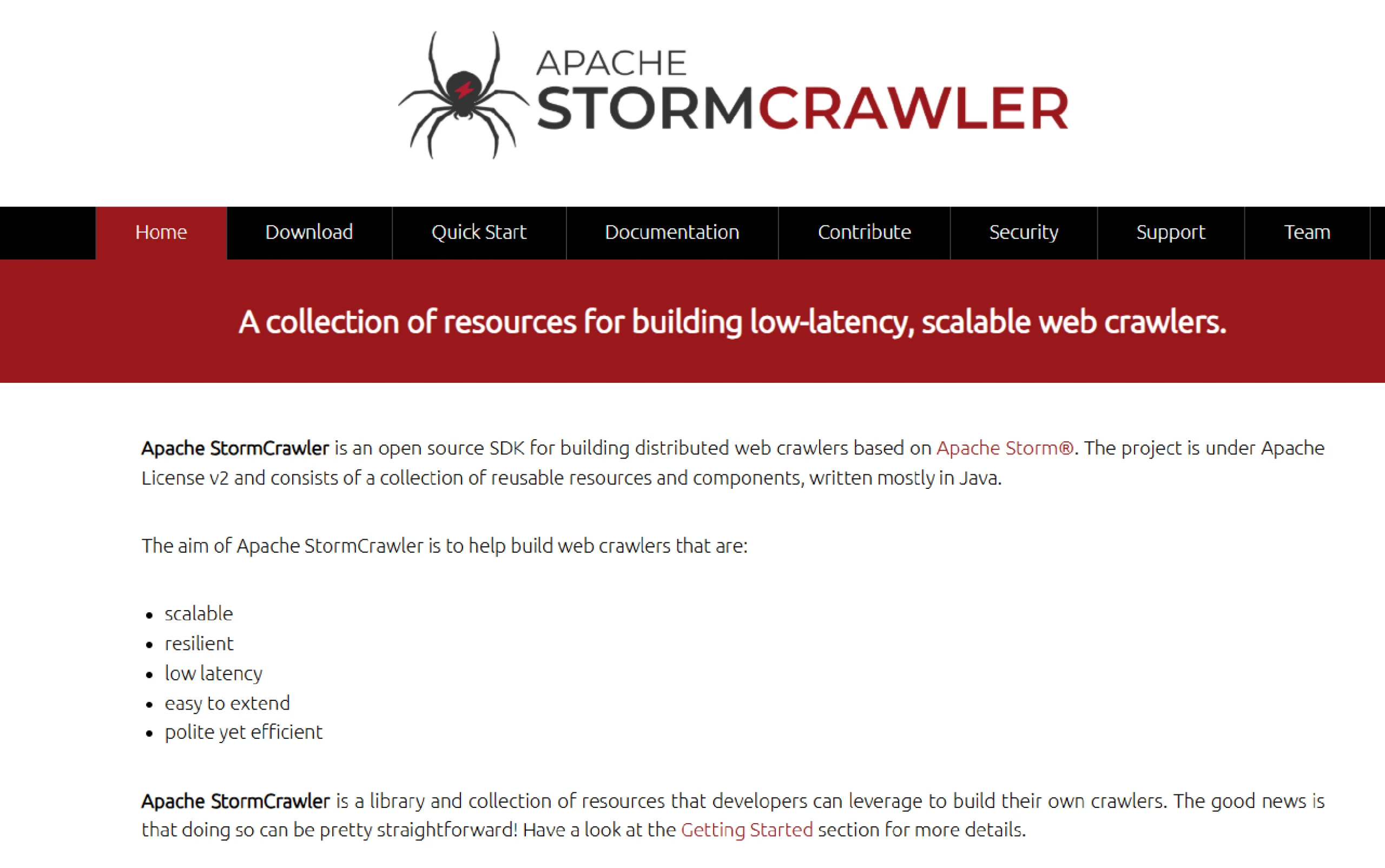
StormCrawler is a library and collection of resources that developers can use to build their own crawlers. The framework is based on the stream-processing framework Apache Storm. All operations, like fetching URLs, parsing, and constantly indexing, occur at the same time, making the crawling more efficient.
StormCrawler comes with modules for commonly used projects such as Apache Solr, Elasticsearch, MySQL, or Apache Tika. It also has a range of extensible functionalities to do data extraction with XPath, sitemaps, URL filtering, or language identification.
Requirements – Apache Maven, Java 17+
Available Selectors – XPath
Available Data Formats – Output depends on downstream integrations (commonly JSON/XML via pipelines)
Pros
- Appropriate for large-scale recursive crawls
- Suitable for low-latency web crawling
Cons
- Steeper setup and configuration complexity
- Requires Apache Storm ecosystem knowledge
- Overkill for small or simple scraping projects
Installation
Install Java JDK 8 or newer on your system.
StormCrawler uses Maven for its build system. Install Maven by following the instructions on the Apache Maven website.
Initialize a new Maven project by running
mvn archetype:generate -DarchetypeGroupId=com.digitalpebble.stormcrawler -DarchetypeArtifactId=storm-crawler-archetype -DarchetypeVersion=LATEST
Best Use Case
To build high-performance web crawlers that need to process a large volume of URLs in real-time or near-real-time.
Real-World Challenges with Open-Source Scraping
Open-source scraping tools are a great starting point, but production environments tell a different story. Websites frequently update their structure, meaning a scraper that worked perfectly last week can silently break and return incomplete or wrong data today.
Beyond structural changes, many sites actively fight back by deploying CAPTCHA, bot detection systems, and IP-based blocking that can shut down your scraper entirely.
Even when your setup is solid, maintaining it becomes an ongoing job. Proxies need rotating, selectors need updating, and edge cases keep showing up. For small projects, this is manageable, but as your scraping needs grow, the maintenance burden grows with it.
Teams that start with open-source tools often find themselves spending more time fixing scrapers than actually using the data. That’s the point where reliability, scale, and clean, structured data matter more than flexibility.
True Cost of Building Your Own Scraper
Open-source tools are free to download, but that’s where the “free” part ends. The real costs show up quickly once you move into production. Developer time is the biggest hidden expense; setting up scrapers, writing parsers, and debugging broken selectors takes hours that add up fast. Beyond that, you’ll need proxies to avoid IP bans, cloud infrastructure to run crawlers at scale, and storage solutions for the data you collect.
Then there’s the ongoing maintenance. Every time a target website updates its layout or tightens its bot detection, someone has to fix it. For a single developer managing multiple scrapers, this becomes a constant cycle of firefighting. When you add it all up, DIY scraping at scale is rarely as cost-effective as it first appears.
When to Move Beyond Open Source
There’s a tipping point every scraping project eventually hits. Early on, open-source tools feel like the smart, flexible choice. But over time, the cracks start to show. When your team is spending more hours maintaining scrapers than actually working with the data, that’s a clear signal that something needs to change.
Other warning signs include frequent data gaps caused by undetected scraper failures, growing infrastructure costs, and the inability to scale without significant engineering effort.
If your scrapers break every time a target site updates, and those fixes keep landing on the same developer’s plate, the tool is no longer saving you time; it’s consuming it. At that point, the real cost of open source outweighs its benefits, and switching to a more reliable, managed solution becomes the practical decision.
Open Source Tools vs Managed Scraping Services
Choosing between web scraping tools, open-source solutions, and a managed scraping service comes down to what your team values more: control or reliability. Open-source frameworks give you full flexibility to build exactly what you need, but that freedom comes with the full responsibility of setup, maintenance, scaling, and staying on top of compliance.
Most self-serve tools stop at giving you the software. What happens after the infrastructure decisions, the proxy management, the legal considerations around data collection, and the inevitable maintenance when things break all lands on your team.
Managed web scraping service like ScrapeHero, on the other hand, handle the heavy lifting. Infrastructure, proxy rotation, bot detection bypass, and data delivery are all taken care of, so your team can focus on using the data rather than fighting to collect it. Setup time drops from weeks to days, and you get consistent, structured data without worrying about scrapers going silent.
For small projects or teams with strong engineering resources, free web scraping tools and open source options work well. But for businesses that need reliable data at scale, a managed web scraping company like ScrapeHero is often the more practical and cost-effective long-term choice.
Wrapping Up
This article has given you an overview of the different open-source web scraping software tools and frameworks from which you can choose accordingly. Each tool has its place, and for the right project with the right team, open-source scrapers can do a solid job.
But as your data needs grow, so does the complexity behind collecting it reliably. Infrastructure, maintenance, anti-blocking measures, and compliance don’t go away; they just become someone’s full-time problem. Before you begin web scraping, it’s worth asking not just which tool to use, but whether building and maintaining it yourself is the best use of your team’s time.
For specific use cases like web scraping Amazon product data or scraping Google reviews, you could make use of ScrapeHero Cloud. These are ready-made web scraping tools, open source alternatives that are easy to use, offer free initial credits, and require no coding on your side.
In addition, if you have greater scraping requirements, it’s better to use ScrapeHero’s web scraping service. As a full-service provider, we ensure that you save your time and get clean, structured data without any hassles.
Frequently Asked Questions
It often depends on your specific needs, programming skills, and the complexity of the tasks you intend to perform. To handle moderate web scraping, you can use BeautifulSoup. If you need to interact with JavaScript-heavy sites, then go for Selenium.
The best web scraping tool varies based on specific project requirements, your technical background, and the particular challenges of the web content you aim to scrape. For example, to scrape JavaScript-heavy websites, you can use Playwright.
Web scraping is generally legal when collecting publicly available data, but it can become problematic if it violates a website’s terms of service or involves personal data protected under laws like GDPR. Always review the site’s terms and consult legal advice for commercial scraping projects.
Using rotating proxies, randomizing request intervals, and mimicking real browser headers are the most effective ways to reduce the chances of getting blocked. Tools like Crawlee have these anti-blocking features built in, which saves significant setup time.
Scrapy is widely regarded as one of the fastest frameworks due to its asynchronous architecture, making it well-suited for large-scale crawling. For JavaScript-heavy sites, Puppeteer offers a good balance between speed and rendering capability.
Most open-source scraping tools require at least a basic level of programming knowledge in Python or JavaScript to set up and maintain effectively. If coding isn’t your strength, managed solutions like ScrapeHero Cloud let you scrape without writing a single line of code.
Yes, tools like Selenium and MechanicalSoup can automate login flows by filling in forms and managing session cookies just like a real user would. However, scraping behind login walls may raise additional legal and ethical considerations worth reviewing beforehand.
Some of the best web scraping tools Python developers rely on include Scrapy, Selenium, Playwright, and MechanicalSoup. Each offers different strengths depending on whether you’re dealing with static or dynamic websites.
Yes, most of the tools covered in this article are free web scraping tools open-source solutions, including Scrapy, Puppeteer, Playwright, and Crawlee. They are freely available and actively maintained by large developer communities.
Some of the most widely used open-source web scraping tools include Scrapy, Puppeteer, Playwright, Crawlee, and Selenium. Your best pick depends on the nature of the website and the scale of your scraping project.
Scrapy is often recommended for beginners due to its detailed documentation, easy setup, and active community. MechanicalSoup is another beginner-friendly option for those working with simple, static websites.
Scrapy is commonly used for large-scale data extraction, Puppeteer for scraping JavaScript-heavy sites like e-commerce pages, and MechanicalSoup for automating login-based scraping on static websites. Each tool serves a specific use case, making it easier to match the right one to your project.