Target prices a product per store, not per website, so the best scraper to extract Target data returns the sale price, regular price, and availability that Target served for the store and zip code you asked for. Pricing teams, retail brands, and category managers can feed these straight into their analytics dashboards.
ScrapeHero’s Target scrapers take the inputs your team already has (product URLs, category pages, search queries, or a TCIN list) and returns structured records with the exact data fields you need.
What You’ll Learn:
- What ScrapeHero’s Target Scrapers Extract
- Why the same TCIN can carry a different price and availability in two markets, and what that means for your dataset.
- How variant enumeration turns one product URL into dozens of records, each with its own TCIN and stock status.
- How sponsored placements distort search rank, and how the Is Sponsored flag separates paid from organic.
- What a typical Target scraper use case look like.
What The Scrapers Extract
ScrapeHero’s Target product scraper collects more than 20 data points from Target.com search results, category pages, and product detail pages:
- Store-Level Availability: Available In Store, Available Online, Store ID, Store Location, Store Address, Store Telephone, and the Search Zipcode the record was resolved against.
- Pricing: Current Sale Price, Regular Price, and Currency, which together reveal markdown depth.
- Search Merchandising: Result Rank and an Is Sponsored flag, which separate paid placement from organic shelf position.
- Product Identifiers: Product Name, TCIN, Selected Product ID, Brand, Model or UPC, and Product URL.
- Product Variants: Color, Size, Variations, and Variation IDs for each sellable configuration.
- Seller Details: Seller name, distinguishing first-party Target.com inventory from third-party marketplace sellers.
- Ratings & Reviews: Star Rating, Review Count, Rating Histogram, and full review text through ScrapeHero’s Target reviews scraper.
- Content & Specifications: Product Description, Attributes, Product Information such as DPCI, UPC, warranty, and weight, plus high-resolution image URLs.
Why Target Scraping Is Challenging at Scale
Collecting Target data in-house means solving four problems.
Store Context Is the Dataset. The same TCIN can have different availability and fulfillment options by store and ZIP. It can also have a different price in some store contexts. However, a crawler must not assume every price difference is market-specific.
One URL, Many Records. A single product page expands into every size, color, and style configuration, each with its own TCIN, price, and stock status. Teams that budget one row per URL underestimate the dataset by an order of magnitude.
Sponsored Units Blur Shelf Position. Target interleaves paid placements with organic results, and the two are visually similar. Without the Is Sponsored flag, a rank analysis measures ad spend as much as relevance.
Multiple Identifiers, One Item. Target exposes TCINs, DPCIs, UPCs, and a Selected Product ID. They do not map one-to-one across page types. If your scraper crawls on the wrong identifier, the same item arrives twice, or a variant disappears entirely.
How ScrapeHero Fits Target Data Collection
ScrapeHero offers ready-made cloud scrapers and custom managed services, so you skip the operational burden of Target data extraction:
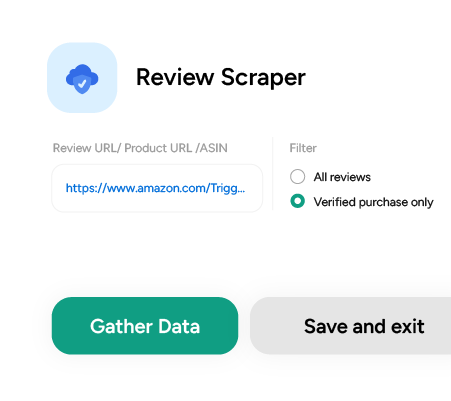
- Ready-Made Target Cloud Scrapers: ScrapeHero Cloud provides no-code scrapers for Target Product Data and Pricing and Target Product Ratings and Reviews. Paste product, category, or search URLs, or specify keywords and zip codes, then start extracting.
- Flexible Delivery & Scheduling: Run a schedule per store or per zip code, and feed the results into Dropbox, AWS S3, Google Drive, or your application through a REST API. Records also export to CSV, Excel, or JSON on demand.
- Fully Managed Enterprise Pipelines: For teams tracking thousands of TCINs across many stores, ScrapeHero’s engineers build and maintain custom crawlers and normalize store-level records. Those feeds land in Snowflake, BigQuery, Databricks, or S3 under SOC 2 Type II controls and a standard DPA. When Target changes its layout or defenses, we’ll repair the scraper without interrupting your feed.
A Typical Use Case
A household-goods brand sells 60 SKUs through Target. It wants to know why handful of markets keep undercutting its national price.
The category team needs to know:
- Store-level sale prices
- The regular price
- Whether the product is actually on the shelf when a shopper checks.
Running this in-house means operating headless browser clusters, re-running the same crawl once per store, and reconciling TCINs against DPCIs when a variant does not line up. One missed store context flattens every market to the same national price, and the markdown never appears.
With ScrapeHero, the brand gets a daily feed keyed by store and zip code, with sale prices, markdown depth, and in-store availability already normalized. The team spends its time on pricing response instead of crawler upkeep.
Start a Project
ScrapeHero is a web scraping service provider that handles web crawling, data extraction, automated quality checks, and delivery of structured data.
Get started with ScrapeHero Cloud and use our ready-made scrapers to collect Target data with ease.
Need something different?
Tell us your item list or categories, the zip codes or stores you need covered, and your required update cadence. We’ll scope it and quote it. Contact ScrapeHero sales to get started.
Frequently Asked Questions
The scraper reports what Target serves for the context you specify. Sale Price, Regular Price, and Currency come back as separate fields alongside the store details, so a national page and a local store show up as two records rather than one overwritten value.
Result Rank and Is Sponsored are separate fields on every search record. Filter on the flag to measure organic shelf position, or keep both to see how much of the first page is paid.
Zip codes are how you set the context. Each record then carries Store ID, Location, Address, and Telephone, so you can confirm which store resolved the price and filter the dataset to the locations you care about.